Laptop Fan Noise Getting Loud? 9 Practical Fixes That Actually Work
📅 Published: 2026-05-13🔄 Updated: 2026-05-13✍ LapBoost Team⏱ 5 min read
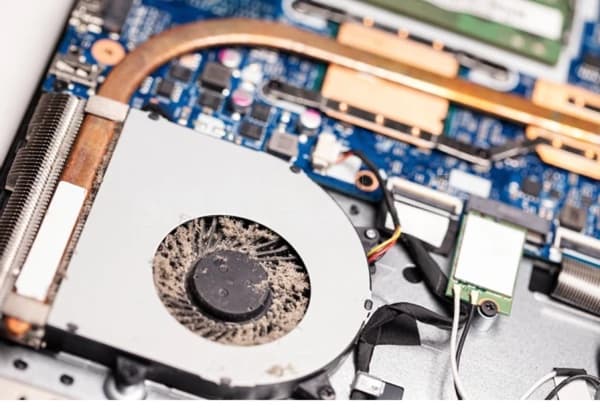
Loud laptop fan noise usually happens because of overheating, dust buildup, excessive background processes, or high CPU usage. In this guide, you'll learn practical methods to reduce fan noise, improve cooling performance, and keep your laptop temperature under control safely.
⚡ Proven Fixes
- ✅ Clean laptop air vents carefully
- ✅ Avoid using laptop on bed or soft surfaces
- ✅ Close unnecessary background applications
- ✅ Monitor CPU usage in Task Manager
- ✅ Reduce heavy multitasking during charging
- ✅ Use cooling pads for better airflow
- ✅ Update BIOS and thermal drivers
- ✅ Scan for malware causing high CPU usage
- ✅ Reduce startup applications
- ✅ Keep laptop fans dust-free regularly
🌡 Heating Fix Hub
Explore Complete Hub →📰 Related Articles
❓ Frequently Asked Questions
Why is my laptop fan suddenly very loud?
Loud fan noise usually happens because of overheating, dust buildup, heavy CPU usage, malware, or poor airflow.
Can overheating damage laptop performance?
Yes. Excessive heat can reduce performance, cause lagging, and shorten hardware lifespan over time.
Will cleaning fans reduce laptop noise?
Yes. Cleaning dust buildup often improves airflow and reduces unnecessary fan speed.